Manual Trust 17939 eBrush Tablet gráfico

Precisa de um manual para o seu Trust 17939 eBrush Tablet gráfico? Abaixo você pode visualizar e baixar gratuitamente o manual em PDF em português. Este produto tem atualmente 0 perguntas frequentes, 0 comentários e tem 0 votos. Se este não for o manual que você deseja, por favor contacte-nos.

Seu produto está com defeito e o manual não oferece solução? Vá a um Repair Café para obter serviços de reparo gratuitos.

Manual

Loading…

Tablet – User’s Manual
3
Draw (Draw)
Open a drawing program (For example, Artweaver is available on the Trust CD-ROM: select “Install
A
rtWeaver” from the menu to install it.)
Create a new document (File > New)
Set the attributes of your new document, press OK
Select a tool that supports Pen Pressure Sensitivity (Ex: in Artweaver: default brush)
With the pen’s pressure levels, you can use your brush the way you would use a real pencil and draw the
thickness and opacity you desire.
The pen can detect 2048 levels of pressure, and use the variation in levels to automatically change the size, the
color, or various settings of the tool you are currently using.
This allows for flexibility and gives a very intuitive feeling to your graphic work.
Move the pen in the tablet’s working area: the cursor will follow the movements. Hovering the pen tip at
about 5 mm from the surface will allow you to move the cursor on your screen. When you touch the
tablet’s surface, your brush will start drawing on the new document.
The color panel allows you to select different colors.
By default in most drawing programs, the color your brush is applying is black. Depending on the pressure you
exert with the pen on the tablet’s surface, your brush will paint in nuances going from white (no pressure) to
black (full pressure).
Write (Write)
Open the Input Panel (tap the docked input panel (
), on the side of the screen, or tap the text input
floating bar
).
Your handwriting will be converted into text ( ). You can correct, erase or modify the proposed
conversion.
Then click or tap Insert to have the text you handwrote entered into the active document / text input
field.
Handwriting recognition is a feature of Windows Vista and Windows 7 that converts what you write into text you
can then format like any other text. The Handwriting Input Panel appears automatically when you start using
the tablet. If it does not show, or only appears as a virtual keyboard, please consult trust.com/17939/FAQ.
A
fter installing and connecting your tablet, the handwriting feature of Live Messenger is activated.
It can be accessed, while in Live conversation, by clicking the corresponding button: ( )
You can then draw and send messages in your own handwriting, and use the six formatting buttons
that appear in the conversation window to personalize your messages.
To send handwritten messages you must have Windows 7, Windows Vista, or Windows XP with Service Pack 3
or later installed. The latest version of Live Messenger is also required.
Descarregue o manual em português (PDF, 5.09 MB)
(Considere o meio ambiente e apenas imprima este manual se for realmente necessário)

Loading…

Avaliação

Deixe-nos saber o que você pensa sobre a Trust 17939 eBrush Tablet gráfico, deixando uma classificação do produto. Quer compartilhar suas experiências com este produto ou fazer uma pergunta? Por favor, deixe um comentário na parte inferior da página.
Você está satisfeito com Trust 17939 eBrush Tablet gráfico?
Sim Não
Seja o primeiro a avaliar este produto
0 votos

Participe da conversa sobre este produto

Aqui você pode compartilhar o que pensa sobre Trust 17939 eBrush Tablet gráfico. Se você tiver alguma dúvida, primeiro leia atentamente o manual. A solicitação de manual pode ser feita através do nosso formulário de contato.

Mais sobre este manual

Entendemos que é bom ter um manual em papel para o seu Trust 17939 eBrush Tablet gráfico. Você sempre pode baixar o manual em nosso site e imprimi-lo você mesmo. Se desejar um manual original, recomendamos que entre em contato com Trust. Eles podem fornecer um manual original. Você está procurando o manual do seu Trust 17939 eBrush Tablet gráfico em outro idioma? Escolha o seu idioma preferido em nossa página inicial e pesquise o número do modelo para ver se o temos disponível.

Especificações

Marca Trust
Modelo 17939 eBrush
Categoria Tablets gráfico
Tipo de arquivo PDF
Tamanho do arquivo 5.09 MB

Todos os manuais para Trust Tablets gráfico
Mais manuais de Tablets gráfico
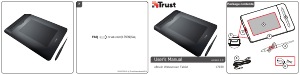
Manual Trust 17939 eBrush Tablet gráfico
×
Download