Manual Topcom TE-6601 Telefone

Precisa de um manual para o seu Topcom TE-6601 Telefone? Abaixo você pode visualizar e baixar gratuitamente o manual em PDF em português. Este produto tem atualmente 0 perguntas frequentes, 0 comentários e tem 0 votos. Se este não for o manual que você deseja, por favor contacte-nos.

Seu produto está com defeito e o manual não oferece solução? Vá a um Repair Café para obter serviços de reparo gratuitos.

Manual

Loading…
4 Topcom Deskmaster 4100
Topcom Deskmaster 4100
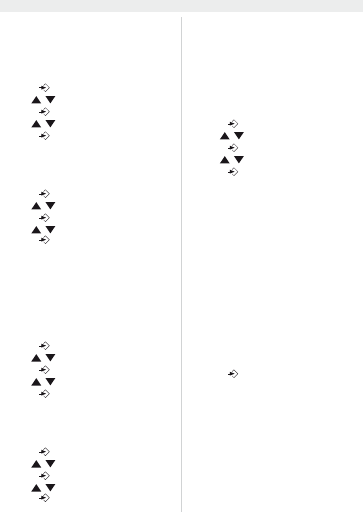
6.2 Set the area code
When you have a subscription to the caller ID
service it can be necessary in some countries to
enter your area code. When the telephone re-
ceives a caller ID it will remove the entered area
code from the incoming number.
Press to enter the menu
Use / to select “
6(7&RG(
Press to enter the area code settings
Use / to change
Press to move to the next digit.
6.3 Set the LCD contrast
There are 8 levels of LCD contrast (0..7). Choose
the most convenient level.
Press to enter the menu
Use / to select “
6(7/FG
Press to enter the LCD contrast settings
Use / to select the level
Press to confirm
You can also access the LCD-contrast settings,
just by pressing the R/LCD key
6.4 Set the PBX code
When your phone is connected to a PBX system
you can enter the PBX line access code.
The line access code will be added when dialling
out a number from the caller ID list.
Press to enter the menu
Use / to select “SET 4 PcodE”
Press to enter the settings
Use / to change select the digit
Press to move to the next digit
6.5 Select PULSE or TONE dialling
By default, the telephone is set for Tone dialling
(DTMF). Some old lines require pulse dialling.
Press to enter the menu
Use / to select “
6(73W
Press to enter the Pulse/Tone settings
Use / to select ‘toNE’ or ‘PULSE’
Press to confirm
6.6 Set the flash time
The R/LCD-key (flash) is used for services like
“Call waiting” (if this service is provided by your
telephone company) or to transfer calls when the
telephone is connected to a PBX-system.
Depending on the country, this flash-time can be
different.
The telephone supports 4 possibilities : 100, 300,
600 and 1000 msec.
Press to enter the menu
Use / to select “SET 6 FLASH”
Press to enter the FLASH settings
Use / to select your flash-time
Press to confirm
6.7 Ringer volume
At the back panel of the telephone you find a
switch that can be set in three positions : off, low
and high.
Choose the most comfortable volume setting
6.8 Anti-dialling from parallel line
You can prevent that other telephones, connected
to your line, can make a call.
When this function is activated you will be alarmed
when someone tries to make a call with another
telephone connected to your line.
Press and hold # for three seconds
“SPI oFF” appears
Press # again to activate “SPI on”
Press to confirm
Follow the same procedure to deactivate this
function (“SPI oFF”)
Descarregue o manual em português (PDF, 0.48 MB)
(Considere o meio ambiente e apenas imprima este manual se for realmente necessário)

Loading…

Avaliação

Deixe-nos saber o que você pensa sobre a Topcom TE-6601 Telefone, deixando uma classificação do produto. Quer compartilhar suas experiências com este produto ou fazer uma pergunta? Por favor, deixe um comentário na parte inferior da página.
Você está satisfeito com Topcom TE-6601 Telefone?
Sim Não
Seja o primeiro a avaliar este produto
0 votos

Participe da conversa sobre este produto

Aqui você pode compartilhar o que pensa sobre Topcom TE-6601 Telefone. Se você tiver alguma dúvida, primeiro leia atentamente o manual. A solicitação de manual pode ser feita através do nosso formulário de contato.

Mais sobre este manual

Entendemos que é bom ter um manual em papel para o seu Topcom TE-6601 Telefone. Você sempre pode baixar o manual em nosso site e imprimi-lo você mesmo. Se desejar um manual original, recomendamos que entre em contato com Topcom. Eles podem fornecer um manual original. Você está procurando o manual do seu Topcom TE-6601 Telefone em outro idioma? Escolha o seu idioma preferido em nossa página inicial e pesquise o número do modelo para ver se o temos disponível.

Especificações

Marca Topcom
Modelo TE-6601
Categoria Telefones
Tipo de arquivo PDF
Tamanho do arquivo 0.48 MB

Todos os manuais para Topcom Telefones
Mais manuais de Telefones
Manual Topcom TE-6601 Telefone

Produtos relacionados

Categorias relacionadas

×
Download