Contents
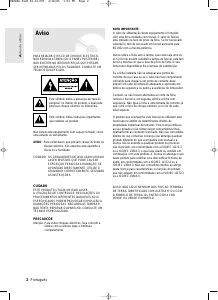
precautions
1. Setting up
- Refer to the identification label located on
the rear of your player for its proper operat-
ing voltage.
- Install your player in a cabinet with ade-
quate ventilation holes. (7~10cm) Do not
block ventilation holes on any of the com-
ponents for air circulation.
- Do not push the disc tray in by hand.
- Do not stack components.
- Be sure to turn all components off before
moving the player.
- Before connecting other components to this
player, be sure to turn them off.
- Be sure to remove the disc and turn off the
player after use, especially if you are not
going to use it for a long time.
- The mains plug is used as a disconnect
device and shall stay readily operable at
any time.
2. For your safety
- This product utilizes a laser. Use of controls
or adjustments or performance of proce-
dures other than those specified herein may
result in hazardous radiation exposure.
- Do not open covers and do not repair your-
self. Refer servicing to qualified personal.
3. Caution
- Your player is not intended for industrial
use but for domestic purposes. Use of this
product is for personal use only.
- Apparatus shall not be exposed to drip-
ping or splashing and no objects filled with
liquids, such as vases, shall be placed on
the apparatus.
- Exterior influences such as lightning and
static electricity can affect normal operation
of this player. If this occurs, turn the player
off and on again with the POWER button,
or disconnect and then reconnect the AC
power cord to the AC power outlet. The
player will operate normally.
- When condensation forms inside the player
due to sharp changes in temperature, the
player may not operate correctly. If this
occurs, leave the player at room tempera-
ture until the inside of the player becomes
dry and operational.
4. Disc
- Do not use record-cleaning sprays, ben-
zene, thinner, or other volatile solvents that
may cause damage to the disc surface.
- Do not touch the disc’s signal surface. Hold
by the edges or by one edge and the hole
in the center.
- Wipe the dirt away gently; never wipe a
cloth back and forth over the disc.
5. Environmental info
- The battery used in this product contains
chemicals that are harmful to the environ-
ment.
- So, dispose of batteries in the proper man
ner, according to federal, state, and local
regulations.
The product unit accompanying this user manual
is licensed under certain intellectual property
rights of certain third parties. This license is lim-
ited to private non-commercial use by end-user
consumers for licensed contents. No rights are
granted for commercial use. The license does
not cover any product unit other than this prod-
uct unit and the license does not extend to any
unlicensed product unit or process conforming
to ISO/OUR 11172-3 or ISO/OUR 13818-3 used
or sold in combination with this product unit. The
license only covers the use of this product unit to
encode and/or decode audio files conforming to
the ISO/OUR 11172-3 or ISO/OUR 13818-3. No
rights are granted under this license for product
features or functions that do not conform to the
ISO/OUR 11172-3 or ISO/OUR 13818-3.
CAUTION: USE OF ANY CONTROLS,
ADJUSTMENTS, OR PROCEDURES OTHER
THAN SPECIFIED HEREIN MAY RESULT IN
HAZARDOUS RADIATION EXPOSURE.
General Features
setup
Excellent Sound
Dolby Digital, a technology developed by Dolby
Laboratories, provides crystal clear sound
reproduction.
Screen
Both regular and widescreen(16:9) pictures can
be viewed.
Slow Motion
An important scene can be viewed in slow
motion.
Parental Control (DVD)
The parental control allows users to set the level
necessary to prohibit children from viewing harm-
ful movies such as those with violence, adult
subject matter, etc.
Various On-Screen Menu
Functions
You can select various languages (Audio/Subtitle)
and screen angles while enjoying movies.
Progressive Scan
Progressive scanning creates an improved picture
with double the scan lines of a conventional inter-
laced picture.
EZ VIEW (DVD)
Easy View enables picture adjustment to match
your TV's screen size (16:9 or 4:3).
Digital Photo Viewer (JPEG)
You can view Digital Photos on your TV.
Repeat
You can repeat a song or movie simply by press-
ing the REPEAT button.
MP3/WMA
This unit can play discs created from MP3/WMA
files.
MPEG4
This unit can play MPEG4 formats within an avi
file.
CD Ripping
(Only DVD-C450KS,C450K,C450,C360)
This feature lets you copy audio files from discs
to USB device into MP3 format. (only audio CD
(CD DA)
Precautions . . . . . . . . . . . . . . . . . . . . . . . . . . . 2
Setup
General Features . . . . . . . . . . . . . . . . . . . . . . 2
Descriptions . . . . . . . . . . . . . . . . . . . . . . . . . . 3
Tour of the Remote Control ............... 4
Connections
Choosing a Connection ................. 5
Basic Functions
Playing a Disc . . . . . . . . . . . . . . . . . . . . . . . . . 6
Using the Search and Skip Functions ...... 6
Using the Display Function . . . . . . . . . . . . . . 6
Using the Disc Menu and Title Menu . . . . . . . 6
Repeat Play . . . . . . . . . . . . . . . . . . . . . . . . . . 6
Slow Play . . . . . . . . . . . . . . . . . . . . . . . . . . . . 7
Advanced Functions
Adjusting the Aspect Ratio (EZ View) ....... 7
Selecting the Audio Language . . . . . . . . . . . . 7
Selecting the Subtitle Language ........... 7
Changing the Camera Angle .............. 7
Using the Bookmark Function . . . . . . . . . . . . 7
Using the Zoom Function . . . . . . . . . . . . . . . . 8
Clips Menu for MP3/WMA/JPEG/MPEG4
CD Audio . . . . . . . . . . . . . . . . . . . . . . . . . . . . 8
Folder Selection . . . . . . . . . . . . . . . . . . . . . . . 8
MP3/WMA/CD Audio Playback. . . . . . . . . . . . 8
MPEG4 Playback . . . . . . . . . . . . . . . . . . . . . . 9
Playing media files Using the USB Host
Feature (Only DVD-C360,C450,C450K,C450KS) 9
CD Ripping
(Only DVD-C360,C450,C450K,C450KS) . . . 10
Picture CD Playback ................... 10
Karaoke Function
Karaoke Function
(Only DVD-C450KS,C450K,C350K) . . . . . . . 10
Changing Setup Menu
Using the Setup Menu . . . . . . . . . . . . . . . . . 11
Setting Up the Language Features ........ 11
Setting Up the Audio Options ............ 11
Setting Up the Display Options. . . . . . . . . . . 11
Setting Up the Parental Control . . . . . . . . . . 11
Setting Up the Divx .................... 12
Reference
Troubleshooting ....................... 12
Specifications . . . . . . . . . . . . . . . . . . . . . . . . 12


Participe da conversa sobre este produto
Aqui você pode compartilhar o que pensa sobre Samsung DVD-C450 Leitor de DVD. Se você tiver alguma dúvida, primeiro leia atentamente o manual. A solicitação de manual pode ser feita através do nosso formulário de contato.