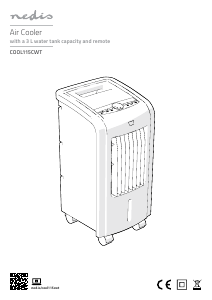
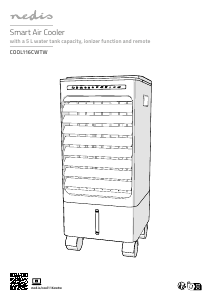
Manual Nedis COOL116CWTW Ar condicionado

Precisa de um manual para o seu Nedis COOL116CWTW Ar condicionado? Abaixo você pode visualizar e baixar gratuitamente o manual em PDF em português. Este produto tem atualmente 7 perguntas frequentes, 0 comentários e tem 1 voto com uma classificação média do produto de 100/100. Se este não for o manual que você deseja, por favor contacte-nos.

Seu produto está com defeito e o manual não oferece solução? Vá a um Repair Café para obter serviços de reparo gratuitos.

Manual

Loading…

4
a
Quick start guide
Smart Air Cooler
COOL116CWTW
For more information see the extended manual online:
ned.is/cool116cwtw
Intended use
The Nedis COOL116CWTW is an air cooler with a 5 L water tank
capacity.
The product is not intended for professional use.
This product can be used by children aged from 8 years and above
and persons with reduced physical, sensory or mental capabilities
or lack of experience and knowledge if they have been given
supervision or instruction concerning use of the product in a safe
way and understand the hazards involved. Children shall not play
with the product. Cleaning and user maintenance shall not be done
by children without supervision.
Any modication of the product may have consequences for safety,
warranty and proper functioning.
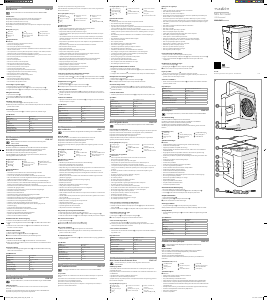
Main parts (image A)
1 LED display
2 Air outlet
3 Water level indicator
4 Top lid
5 Carrying handle
6 Particle lter
7 Honeycomb lter
8 Water tank
9 Drainage
q Power cable
w Swing button
e Cool button
r Ioniser button
t Timer button
y Mode button
u Fan speed button
i Power button
o Swing indicator
p Cool indicator
a Ioniser indicator
s Timer indicator
d Wi-Fi indicator
f Mode indicator
g Fan speed indicator
h Ice packs
Safety instructions
-
WARNING
Ensure you have fully read and understood the instructions in this
document before you install or use the product. Keep this
document for future reference.
Only use the product as described in this document.
Do not use the product if a part is damaged or defective. Replace a
damaged or defective product immediately.
Do not drop the product and avoid bumping.
This product may only be serviced by a qualied technician for
maintenance to reduce the risk of electric shock.
Do not expose the product to water or moisture.
Disconnect the product from the power source before service and
when replacing parts.
Disconnect the product from the power source before removing
the fan guard.
Installation
1. For optimal performance, place the product on a location that
complies with the following:
Flat and stable surface.
50 - 60 cm free space around the product.
2. Close open doors and windows.
4
If you notice that the humidity level reaches 60% or above,
ventilate the room for optimal performance.
3. Plug the power cable A
q
into a power outlet.
Filling the water tank
-
Do not ll the water tank above the “max” indicator.
-
Do not use the product if the water level is below the “min
indicator.
1. Check if the drainage A
9
is closed.
2. Open the top lid A
4
.
3. Remove the stopper and ll with water.
4
Fill until the water level is between "min" and "max" on the
water level indicator A
3
.
4. Replace the stopper and close A
4
.
Using ice packs
4
The use of ice packs A
h
is optional.
4
Fill A
h
with water until the water level is at the "max" indicator.
4
Place A
h
in the freezer until frozen.
4
Add A
h
to A
8
if tap water does not provide enough cooling.
-
Make sure the water level is between "min" and "max".
Installing the Nedis SmartLife app
1. Download the Nedis Smartlife app for Android or iOS on your
phone via Google Play or the Apple App Store.
2. Open the Nedis Smartlife app on your phone.
3. Create an account with your e-mail address and tap Continue.
4
You will receive a verication code on your e-mail address.
4. Enter the received verication code.
5. Create a password and tap Done.
6. Tap Add Home to create a SmartLife Home.
7. Set your location, choose the rooms you want to connect with
and tap Done.
Adding a product to the Nedis SmartLife app
1. Switch on the product.
2. Tap + in the Nedis SmartLife app.
3. Select the product type you want to add from the list.
4. Conrm the Wi-FI indicator LED A
d
is blinking fast.
4
If A
d
is not blinking fast, press the Swing button A
w
on
the product for 5 seconds during standby mode to reset the
product.
5. Follow the instructions in the Nedis SmartLife app.
6. Rename the product after it has been found and added.
7. After conrming you can control the product with your
smartphone.
Using the product
1. Press A
i
to switch on the fan.
2. Press A
u
to set the fan speed.
A
g
indicates the current fan speed.
Using the cooling function
Press A
e
to activate or deactivate the cooling function.
A
p
lights up when the function is active.
4
For optimal performance, switch o the cooling function 15
minutes before switching o the fan.
Setting air ow direction
1. Press A
w
to automatically swing the air ow from left to right.
A
o
lights up when the function is active.
2. Use A
2
to set the vertical air ow direction.
Setting the fan mode
Use A
y
to select the desired fan mode.
A
f
indicates the current fan mode.
The dierent modes are:
Standard: the fan blows with the selected fan speed.
Breeze: the fan speed uctuates to imitate a natural breeze.
Sleep: the fan speed uctuates to imitate a natural breeze. The fan
speed decreases by one level every half an hour. It continues to
run at low speed.
Descarregue o manual em português (PDF, 1.07 MB)
(Considere o meio ambiente e apenas imprima este manual se for realmente necessário)

Loading…

Avaliação

Deixe-nos saber o que você pensa sobre a Nedis COOL116CWTW Ar condicionado, deixando uma classificação do produto. Quer compartilhar suas experiências com este produto ou fazer uma pergunta? Por favor, deixe um comentário na parte inferior da página.
Você está satisfeito com Nedis COOL116CWTW Ar condicionado?
Sim Não
100%
0%
1 vote

Participe da conversa sobre este produto

Aqui você pode compartilhar o que pensa sobre Nedis COOL116CWTW Ar condicionado. Se você tiver alguma dúvida, primeiro leia atentamente o manual. A solicitação de manual pode ser feita através do nosso formulário de contato.

Mais sobre este manual

Entendemos que é bom ter um manual em papel para o seu Nedis COOL116CWTW Ar condicionado. Você sempre pode baixar o manual em nosso site e imprimi-lo você mesmo. Se desejar um manual original, recomendamos que entre em contato com Nedis. Eles podem fornecer um manual original. Você está procurando o manual do seu Nedis COOL116CWTW Ar condicionado em outro idioma? Escolha o seu idioma preferido em nossa página inicial e pesquise o número do modelo para ver se o temos disponível.

Especificações

Marca Nedis
Modelo COOL116CWTW
Categoria Ar condicionados
Tipo de arquivo PDF
Tamanho do arquivo 1.07 MB

Todos os manuais para Nedis Ar condicionados
Mais manuais de Ar condicionados

Perguntas frequentes sobre Nedis COOL116CWTW Ar condicionado

Nossa equipe de suporte pesquisa informações úteis e respostas a perguntas frequentes sobre produtos. Se você encontrar algum dado incorreto em nossas perguntas frequentes, informe-nos usando nosso formulário de contato.

Com que frequência eu devo limpar ou trocar os filtros do meu condicionador de ar? Verificado

É recomendada a verificação dos filtros do seu condicionador de ar, 4 vezes ao ano. Filtros sujos podem ser limpados com um aspirador de pó ou podem ser lavados, dependendo do tipo que eles forem. Durante a manutenção, um profissional deveria avaliar se está na hora de trocar os filtros.

Isso foi útil (3009) Consulte Mais informação

O que significa BTU? Verificado

BTU significa British Thermal Unit. Esta é uma unidade para indicar a capacidade de resfriamento.

Isso foi útil (1134) Consulte Mais informação

Todo condicionador de ar também funciona como desumidificador? Verificado

O ar frio produzido por um ar condicionado geralmente tem uma umidade relativamente baixa. No entanto, o efeito é menor do que ao usar um desumidificador real. Alguns aparelhos de ar condicionado têm um recurso especial para desumidificar o ar.

Isso foi útil (901) Consulte Mais informação

O que é R-410A? Verificado

O R-410A é um agente de resfriamento utilizado em aparelhos que resfriam até 0 ° C, como geladeiras e condicionadores de ar. É a substituição de agentes de resfriamento mais antigos e não danifica a camada de ozônio.

Isso foi útil (641) Consulte Mais informação

Qual é o melhor local para montar a unidade interna de um ar condicionado tipo split? Verificado

Isso depende do espaço, mas em geral as seguintes regras podem ser seguidas. Certifique-se de que não há nada obstruindo o fluxo de ar. Certifique-se de que o local seja acessível para manutenção. Monte a unidade a pelo menos 2 metros do solo.

Isso foi útil (452) Consulte Mais informação

O ar condicionado tem uma influência negativa na qualidade do ar? Verificado

Se o ar condicionado tiver recebido manutenção adequada, não terá influência na qualidade do ar. Se, por exemplo, um filtro não foi substituído por um longo tempo, ou outra manutenção não foi realizada, então um ar condicionado pode produzir ar sujo.

Isso foi útil (443) Consulte Mais informação

Posso colocar meu ar condicionado móvel em um gabinete para retirá-lo de vista? Verificado

Não, absolutamente não. Um ar condicionado móvel precisa de espaço para permitir o fluxo de ar e a entrada de ar. Em um espaço pequeno, o dispositivo pode superaquecer.

Isso foi útil (441) Consulte Mais informação
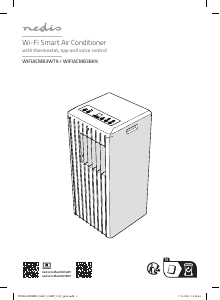
Manual Nedis COOL116CWTW Ar condicionado

Produtos relacionados

Categorias relacionadas

×
Download