
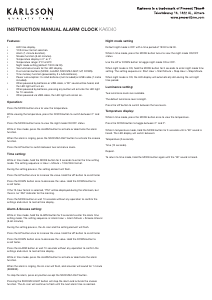
INSTRUCTION MANUAL ALARM CLOCK KA6040
Features:
• LED time display.
• 12/24-hour format selection.
• Alarm (1-minute duration).
• Snooze function (5-60 minutes).
• Temperature display in Cº or Fº.
• Temperature range: 0ºC to 50ºF.
• Night mode setting (default: 18:00-06:00).
• Two luminance levels for the LED display.
• Five function buttons (MODE, ALARM, SNOOZE/LIGHT, UP, DOWN).
• Time memory function (powered by 3 x AAA batteries).
• Power consumption: 3 x AAA batteries (not included) or USB cable (1 metre
included).
• When powered by batteries or USB cable, a “BI” sound will be heard, and
the LED light will turn on.
• When powered by batteries, pressing any button will activate the LED light
for 10 seconds.
• When powered via USB cable, the LED light will remain on.
Operation:
Press the MODE button once to view the temperature.
While viewing the temperature, press the DOWN button to switch between Cº and
Fº.
Press the MODE button twice to view the night mode ON/OFF status.
While in time mode, press the ALARM button to activate or deactivate the alarm
function.
When the alarm is ringing, press the SNOOZE/LIGHT button to activate the snooze
function.
Press the UP button to switch between two luminance levels.
Time setting:
While in time mode, hold the MODE button for 3 seconds to enter the time setting
mode. The setting sequence is: Hour > Minute > 12Hr/24Hr format.
During the setting process, the setting element will ash.
Press the UP button once to increase the value. Hold the UP button to scroll faster.
Press the DOWN button once to decrease the value. Hold the DOWN button to
scroll faster.
If the 12-hour format is selected, “PM” will be displayed during the afternoon, but
there is no “AM” indicator for the morning.
Press the MODE button or wait 10 seconds without any operation to conrm the
settings and return to normal time display.
Alarm & Snooze setting:
While in time mode, hold the ALARM button for 3 seconds to enter the alarm time
setting mode. The setting sequence is: Alarm Hour > Alarm Minute > Snooze Interval
(5-60 minutes).
During the setting process, the AL icon and the setting element will ash.
Press the UP button once to increase the value. Hold the UP button to scroll faster.
Press the DOWN button once to decrease the value. Hold the DOWN button to
scroll faster.
Press the ALARM button or wait 10 seconds without any operation to conrm the
settings and return to normal time display.
While in time mode, press the ALARM button to activate or deactivate the alarm
function.
When the alarm is ringing, the AL icon will ash, and a buzzer will sound for 1 minute
(BIBIBIBI).
To stop the alarm, press any button except the SNOOZE/LIGHT button.
Pressing the SNOOZE/LIGHT button will stop the alarm and activate the snooze
function. The AL icon will continue to ash until the next alarm time is reached.
Night mode setting
Default night mode is OFF with a time period of 18:00 to 06:00.
While in time mode, press the MODE button twice to view the night mode ON/OFF
status.
Use the UP or DOWN button to toggle night mode ON or OFF.
When night mode is ON, hold the MODE button for 3 seconds to enter night mode time
setting. The setting sequence is: Start Hour > Start Minute > Stop Hour > Stop Minute.
When night mode is ON, the LED display will automatically dim during the set night
time period.
Luminance setting:
Two luminance levels are available.
The default luminance level is bright.
Press the UP button to switch between the two levels.
Temprature display:
While in time mode, press the MODE button once to view the temperature.
Press the DOWN button to toggle between Cº and Fº.
While in temperature mode, hold the MODE button for 3 seconds until a “BI” sound is
heard. The LED display will switch between:
Temperature (5 seconds).
Time (10 seconds).
Repeat.
To return to time mode, hold the MODE button again until the “BI” sound is heard.


Participe da conversa sobre este produto
Aqui você pode compartilhar o que pensa sobre Karlsson KA6040WH Despertador. Se você tiver alguma dúvida, primeiro leia atentamente o manual. A solicitação de manual pode ser feita através do nosso formulário de contato.