
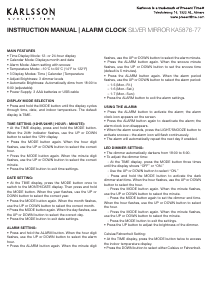
INSTRUCTION MANUAL | ALARM CLOCK SILVER MIRROR KA5876-77
MAIN FEATURES
• Time Display Mode: 12- or 24-hour display
• Calendar Mode: Displays month and date
• Alarm Mode: Alarm setting with snooze
• Temperature Mode: –10°C to 50°C (14°F to 122°F)
• 3 Display Modes: Time | Calendar | Temperature
• Adjust Brightness: 3 dimmer levels
• Automatic Brightness: Automatically dims from 18:00 to
6:00 (adjustable)
• Power Supply: 3 AAA batteries or USB cable
DISPLAY MODE SELECTION
• Press and hold the MODE button until the display cycles
through time, date, and indoor temperature. The default
display is TIME.
TIME SETTING (12HR/24HR | HOUR - MINUTE):
• At the TIME display, press and hold the MODE button.
When the 24Hr indicator ashes, use the UP or DOWN
button to select the 12Hr display.
• Press the MODE button again. When the hour digit
ashes, use the UP or DOWN button to select the correct
hour.
• Press the MODE button again. When the minute digit
ashes, use the UP or DOWN button to select the correct
minute.
• Press the MODE button to exit time settings.
DATE SETTING:
• At the TIME display, press the MODE button once to
switch to the MONTH/DATE display. Then press and hold
the MODE button. When the year ashes, use the UP or
DOWN button to select the correct year.
• Press the MODE button again. When the month ashes,
use the UP or DOWN button to select the correct month.
• Press the MODE button again. When the day ashes, use
the UP or DOWN button to select the correct day.
• Press the MODE button to exit date settings.
ALARM SETTING:
• Press and hold the ALARM button. When the hour digit
ashes, use the UP or DOWN button to select the alarm
hour.
• Press the ALARM button again. When the minute digit
ashes, use the UP or DOWN button to select the alarm minute.
• Press the ALARM button again. When the snooze minute
ashes, use the UP or DOWN button to set the snooze time
(default is 5 minutes).
• Press the ALARM button again. When the alarm period
ashes, use the UP or DOWN button to select the alarm period:
– 1-5 (Mon.-Fri.)
– 1-6 (Mon.-Sat.)
– 1-7 (Mon.-Sun.)
• Press the ALARM button to exit the alarm settings.
USING THE ALARM:
• Press the ALARM button to activate the alarm; the alarm
clock icon appears on the screen.
• Press the ALARM button again to deactivate the alarm; the
alarm clock icon disappears.
• When the alarm sounds, press the LIGHT/SNOOZE button to
activate snooze—the alarm icon will ash continuously.
• The alarm will automatically repeat the next day if enabled.
LED DIMMER SETTING:
• The dimmer automatically darkens from 18:00 to 6:00.
• To adjust the dimmer time:
- At the TIME display, press the MODE button three times
until the display shows “OFF” or “ON.”
- Use the UP or DOWN button to select “ON.”
- Press and hold the MODE button to activate the dark
dimmer start time. When the hour ashes, use the UP or DOWN
button to select the hour.
- Press the MODE button again. When the minute ashes,
use the UP or DOWN button to select the minute.
- Press the MODE button again to set the dimmer end time.
When the hour ashes, use the UP or DOWN button to select
the hour.
- Press the MODE button again. When the minute ashes,
use the UP or DOWN button to select the minute.
- Press the MODE button to exit the settings.
• Press the UP button to adjust the brightness of the dimmer.
Celsius/Fahrenheit Setting:
• At the TIME display, press the MODE button twice to access
the indoor temperature display.
• Press the DOWN button to select either Celsius or Fahrenheit.


Participe da conversa sobre este produto
Aqui você pode compartilhar o que pensa sobre Karlsson KA5876WG Despertador. Se você tiver alguma dúvida, primeiro leia atentamente o manual. A solicitação de manual pode ser feita através do nosso formulário de contato.