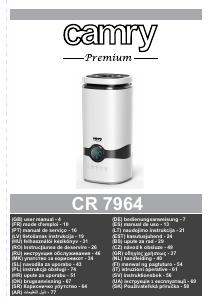
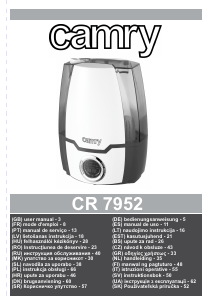
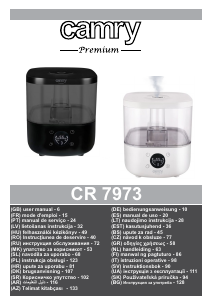
Manual Camry CR 7952 Humidificador

Precisa de um manual para o seu Camry CR 7952 Humidificador? Abaixo você pode visualizar e baixar gratuitamente o manual em PDF em português. Este produto tem atualmente 2 perguntas frequentes, 1 comentário e tem 1 voto com uma classificação média do produto de 100/100. Se este não for o manual que você deseja, por favor contacte-nos.

Seu produto está com defeito e o manual não oferece solução? Vá a um Repair Café para obter serviços de reparo gratuitos.

Manual

Loading…

dangerous temperature rise and can damage the device. Always connect the power
adaptor cable to the device, and then connect the power adaptor to the power socket.
22. Never turn on a humidifier if it is not filled with water.
23. Use only clean, cold distilled water.
24. Do not add drugs or chemical substances to the tank, base or vapor outlet. Do not add
aromatic oils, salt, decalcifying tablets, powders or cleaning agents to water.
25. Water tank cap should always be tightly screwed.
26. Make sure that the water mist outlet is not aimed directly at the walls, furniture,
electrical outlets, electrical and electronic equipment and children.
27. Do not block the device ventilation. Keep at least 20 cm free space around the device.
Do not block the water mist outlet.
28. Do no use the device if there is risk of developing condensation. Moisture may occur on
the external or internal device parts if:
– the device is moved from a cold to a warm place,
– the heating system has just been turned on,
– the device is being used in a high moisture area,
– the device is cooled by the air conditioning cooling system.
If the unit may not operate properly if it develops moisture condensation; in extreme cases
it can become damaged. In such case, do not use the device and leave it to dry for a few
hours.
29. Do not tilt or overturn the device and do not attempt to add or drain water when the
device is operating.
30. Do not remove the tank from the device base during the device operation.
31. Do not touch the device with wet hands.
32. The filled tank is heavy. When moving it, support it also from the bottom.
33. Do not use the humidifier when you see the water leak at the bottom.
34. Do not leave water in the humidifier it is not in use.
35. Clean the humidifier after each use. Follow the cleaning recommendations in this
instruction.
36. Never let the tank in the humidifier base develop sediment, moisture or gather water (it
could contaminate or even damage the ultrasonic nebulizer).
37. When the device is operating for a long time, the water mist emitted by the humidifier
can settle on the floor and make it wet.
38. Too much humidity in the room can lead to moisture accumulation causing the growth of
bacteria and fungi and damage to walls, furniture and wallpaper.
39. Do not lift the water tank with the water mist outlet.
40. Do not submerge the base of the humidifier.
DESCRIPTION OF THE DEVICE (fig A)
1. Water mist outlet 2. Water tank
3. Base 4. Control panel
CONTROL PANEL (diagram B)
1. ON/OFF button 2. RESET button
3. MIST button 4. Humidity icon
5. ANION button 6. HUMIDISTAT button
7. TIMER button 8. “Waterless” icon
9. Ionization icon 10. Humidity and time indicator
11. Humidity level Indicator
USING THE DEVICE
1. Make sure that the humidifier is unplugged. Add water to the tank (A2) only when the device is not connected to power.
2. Remove the water tank (A2), unscrew the water filler and will the tank with cold distilled water.
3. Wipe the tank with dry cloth until its dry and put it on the base.
4. Connect the device to power. The display panel (A4) will light up for two seconds, then it will go out. The humidifier will wait for the
setting mode.
Delayed start: Allows for setting off the start time in a certain number of hours. Press the PRESET button (B2) to set the number
of hours. Each time you press the button (B2) the hour increases by one. The maximum start delay is 24 hours. The “0” setting
cancels the delayed start.
Continuous operation: Start the humidifier by pressing the ON/OFF (B1) button. The humidity icon (B4) will light up showing the
current humidity level (B10) in the room. To change the humidity level press the MIST button (B3). Adjusting the humidity level is
a 4-step operation; each pressing of the button (B3) changes the humidity by 1 degree. The humidity level is shown on the
humidity level indicator (B11).
Delayed stop: to program turning off the device after a certain time, press the TIMER (B7) button when the device is on. Each
4
Descarregue o manual em português (PDF, 3.19 MB)
(Considere o meio ambiente e apenas imprima este manual se for realmente necessário)

Loading…

Avaliação

Deixe-nos saber o que você pensa sobre a Camry CR 7952 Humidificador, deixando uma classificação do produto. Quer compartilhar suas experiências com este produto ou fazer uma pergunta? Por favor, deixe um comentário na parte inferior da página.
Você está satisfeito com Camry CR 7952 Humidificador?
Sim Não
100%
0%
1 vote

Participe da conversa sobre este produto

Aqui você pode compartilhar o que pensa sobre Camry CR 7952 Humidificador. Se você tiver alguma dúvida, primeiro leia atentamente o manual. A solicitação de manual pode ser feita através do nosso formulário de contato.

Chitulea Mioara 02-01-2026
Olá, gostaria de saber se o umidificador Camry desliga sozinho se detecta umidade normal e se reinicia ou funciona continuamente

responder | Isso foi útil (0) (Traduzido pelo Google)

Mais sobre este manual

Entendemos que é bom ter um manual em papel para o seu Camry CR 7952 Humidificador. Você sempre pode baixar o manual em nosso site e imprimi-lo você mesmo. Se desejar um manual original, recomendamos que entre em contato com Camry. Eles podem fornecer um manual original. Você está procurando o manual do seu Camry CR 7952 Humidificador em outro idioma? Escolha o seu idioma preferido em nossa página inicial e pesquise o número do modelo para ver se o temos disponível.

Especificações

Marca Camry
Modelo CR 7952
Categoria Humidificadores
Tipo de arquivo PDF
Tamanho do arquivo 3.19 MB

Todos os manuais para Camry Humidificadores
Mais manuais de Humidificadores

Perguntas frequentes sobre Camry CR 7952 Humidificador

Nossa equipe de suporte pesquisa informações úteis e respostas a perguntas frequentes sobre produtos. Se você encontrar algum dado incorreto em nossas perguntas frequentes, informe-nos usando nosso formulário de contato.

Com que umidade é uma boa ideia usar um umidificador? Verificado

Se houver uma umidade interna de 50% ou menos, um umidificador pode ser útil.

Isso foi útil (371) Consulte Mais informação

Qual é a umidade ideal para um ambiente residencial? Verificado

A umidade ideal em uma casa está entre 40-60%. Com umidade mais alta ou mais baixa, fungos, bactérias e vírus têm maior probabilidade de se desenvolver e você pode sentir desconforto pessoal.

Isso foi útil (203) Consulte Mais informação
Manual Camry CR 7952 Humidificador

Produtos relacionados

Categorias relacionadas

×
Download